Discord Bot Setup
Important Reminder
Working with Discord bots requires careful configuration to avoid restrictions and bans:
- Use realistic delays between messages — especially when sending long text.
- Remember that most Discord servers have moderators and anti-spam systems.
- Configure messages so they look natural and believable, avoiding repetitive patterns.
- In “Dialogue” mode, generate logical, lively responses, imitating real communication between several people.
Proper setup reduces the risk of suspicious activity and increases the bot’s efficiency.
You can also watch a video tutorial on Discord Bot usage here:
Opening Discord Bot Settings
To open the settings, click the gear icon on the Discord Bot button.
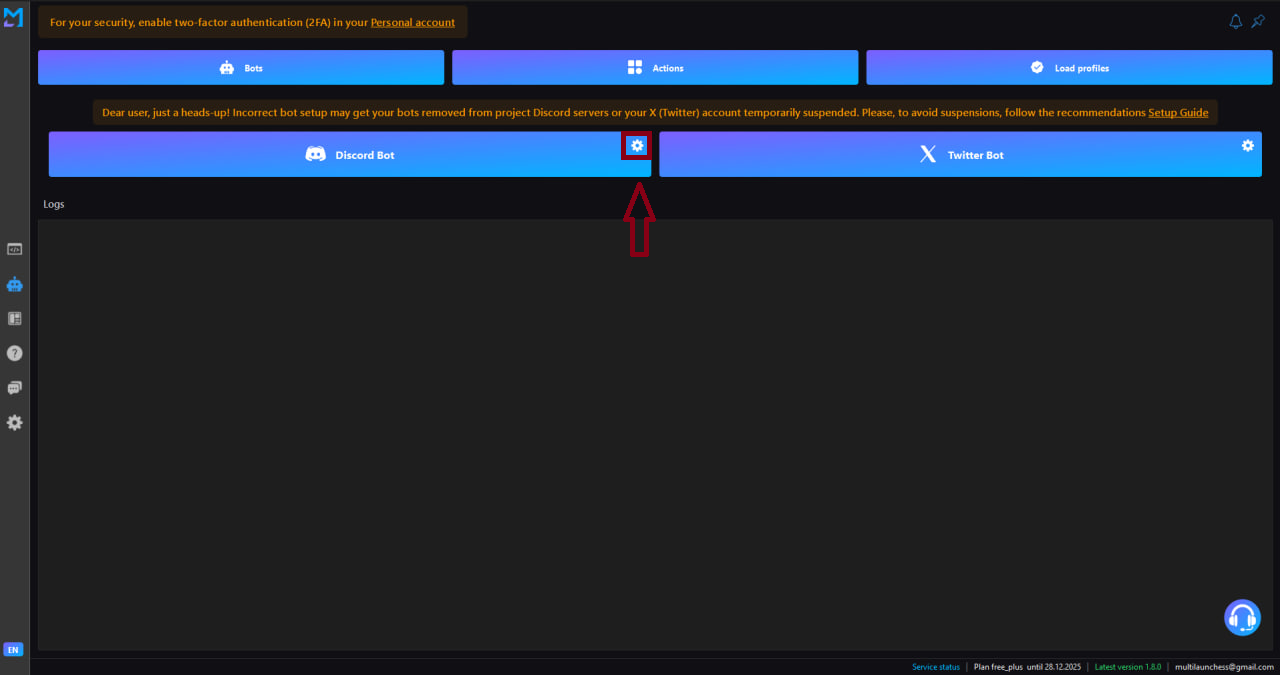
A window appears with two modes:
- Grinding
- Dialogue
Both modes are described below.
Profile Preparation
The Discord Bot uses the same profiles as the testnets.
Before launching, make sure:
- profiles are loaded via Load Profiles;
- each profile is logged into Discord;
- the accounts are not banned or restricted.
Grinding Mode
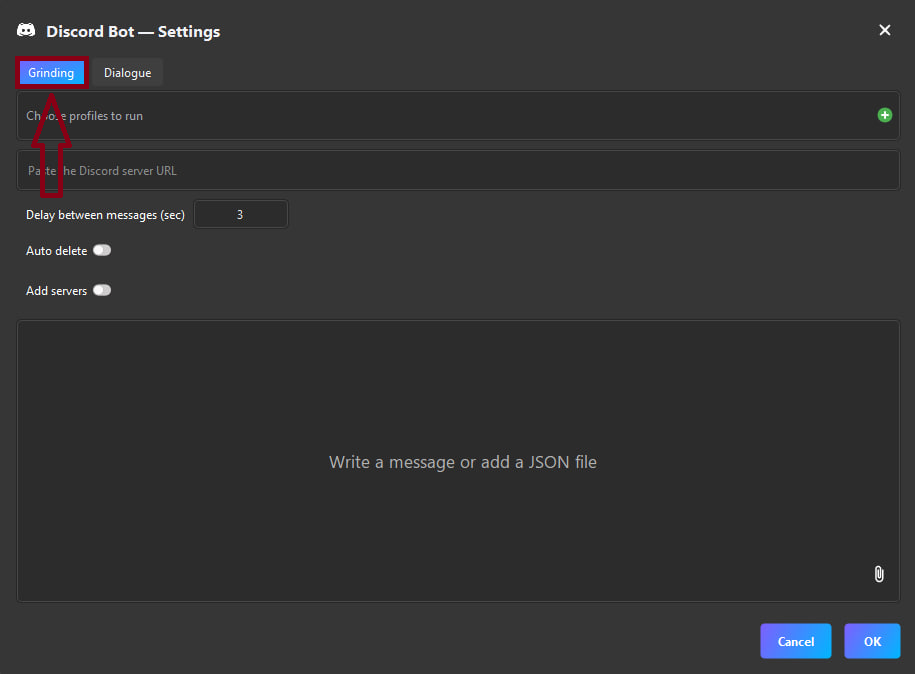
This mode is responsible for mass activity:
- role farming;
- leveling up;
- sending messages;
- completing ambassador tasks.
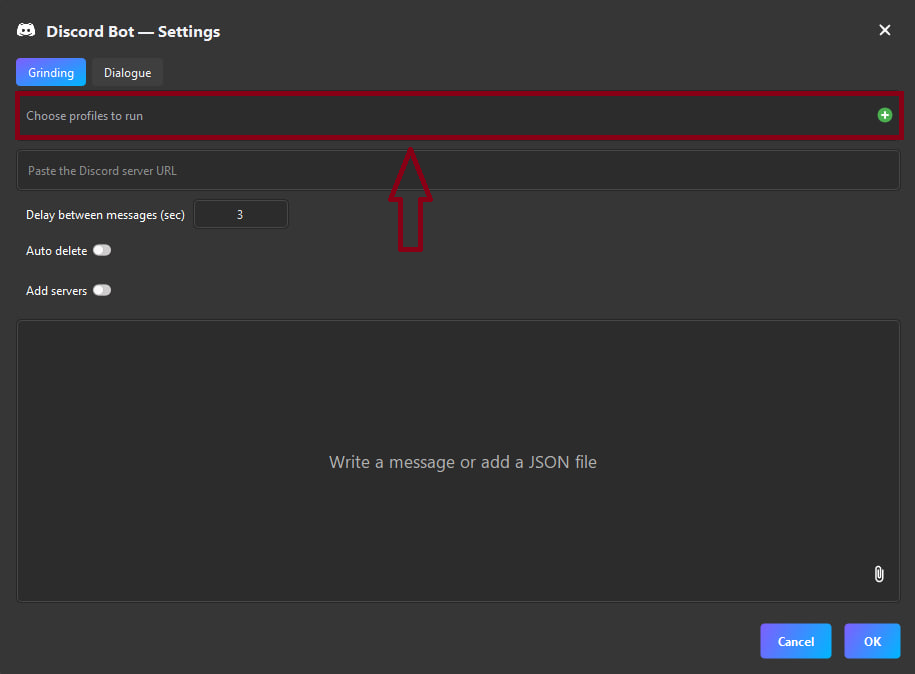
1. Selecting Profiles
Choose the profiles that will perform the activity.
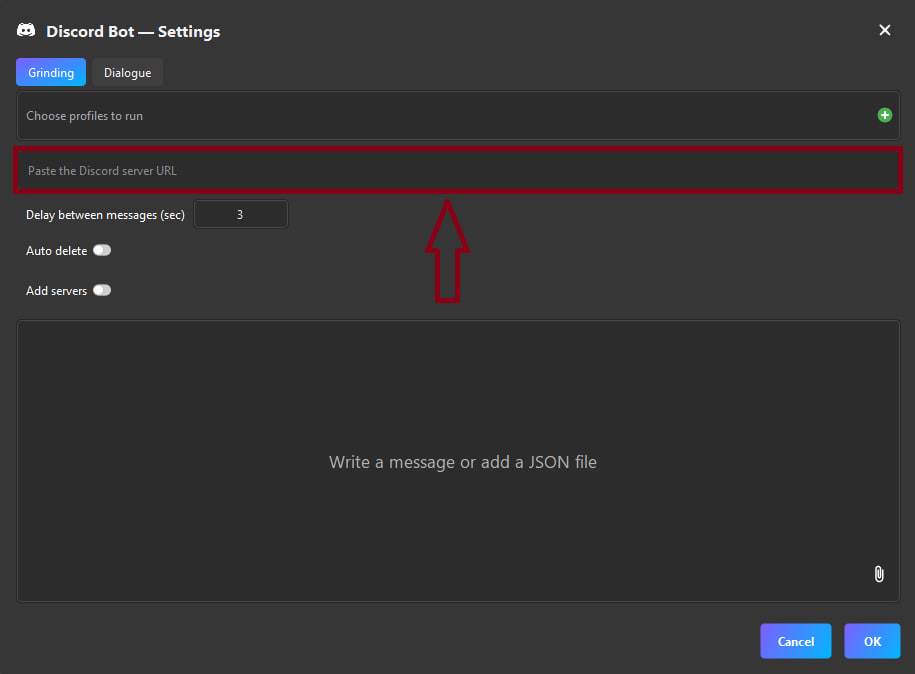
2. Discord Server Link
Enter the URL of the server where the bot will work.
3. Additional Features
Message Delay
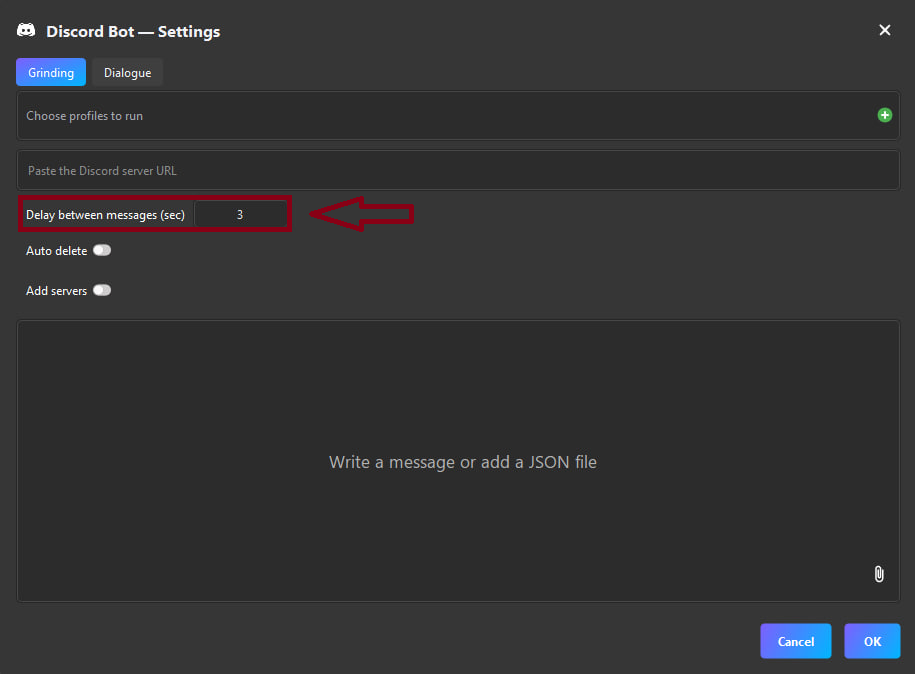
A few seconds by default, but any interval can be set.
Auto-delete Messages
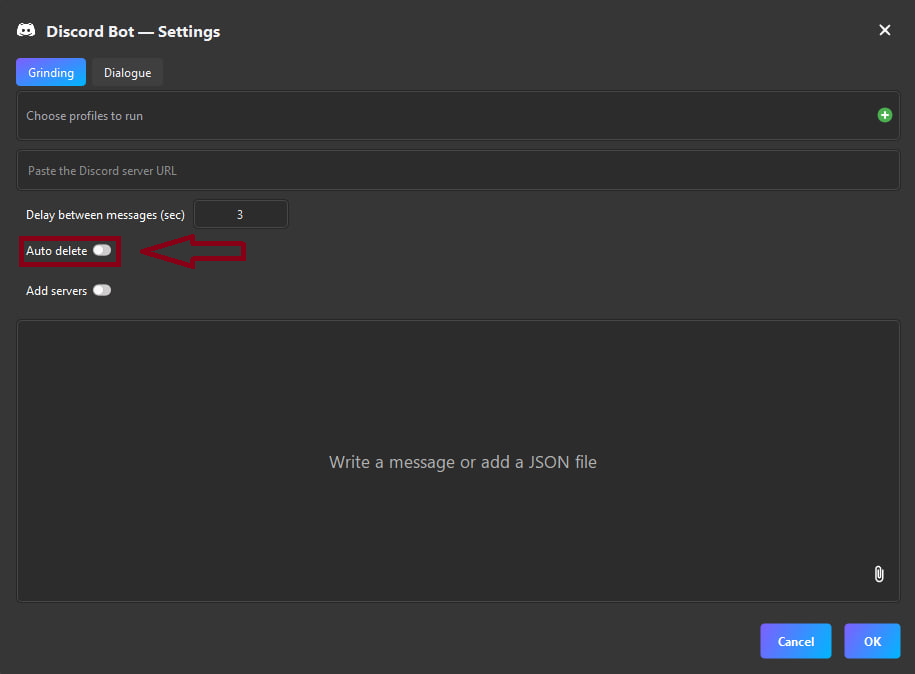
This feature automatically deletes every message sent.
Used for role grinding or leveling to avoid channel spam.
Add Servers
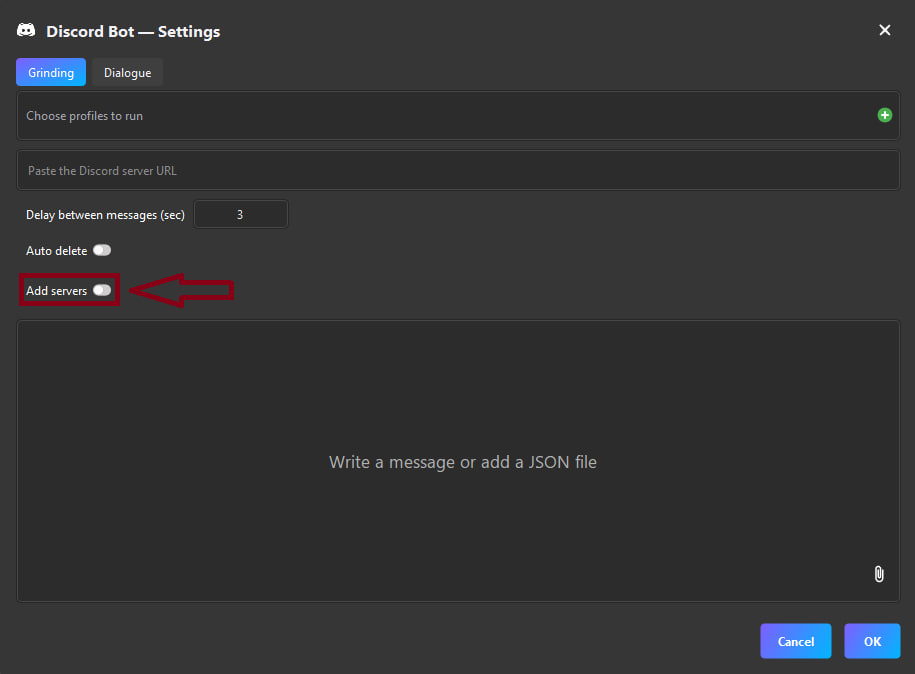
Allows you to specify multiple servers — the activity will be executed sequentially.
4. Messages to Send
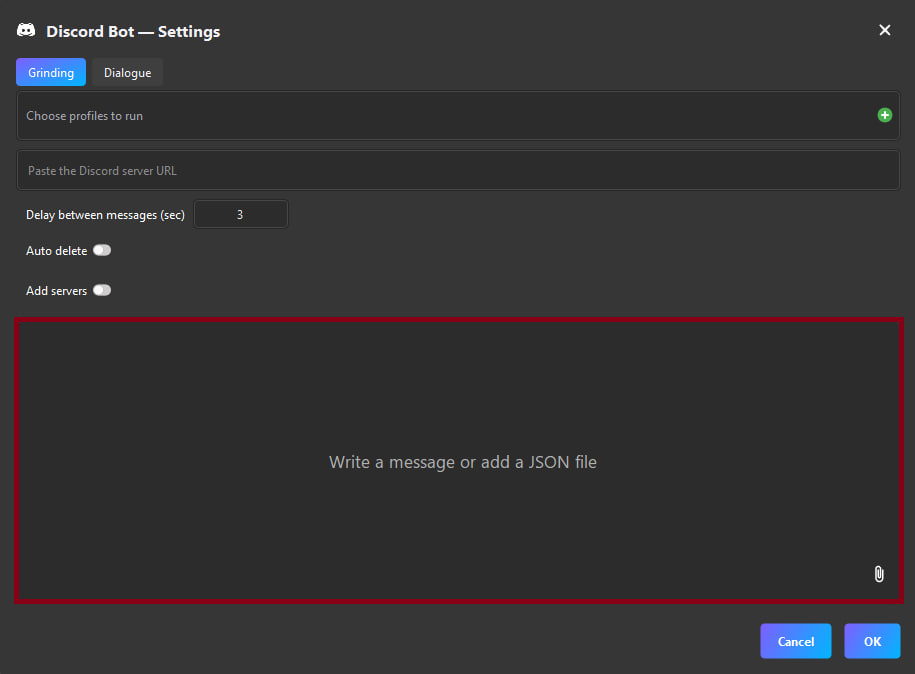
Option 1 — Single Message
The bot sends the specified text from all selected profiles.
Option 2 — Array of Messages (JSON)
If you need different messages:
["Hi", "How are you?", "Fine"]
The bot will send them sequentially:
- “Hi”
- “How are you?”
- “Fine”
The array can be:
- inserted manually;
- uploaded from a JSON file (paperclip icon).
Dialogue Mode
This mode simulates live communication between your profiles on one server.
Profiles begin chatting as if they were real people.
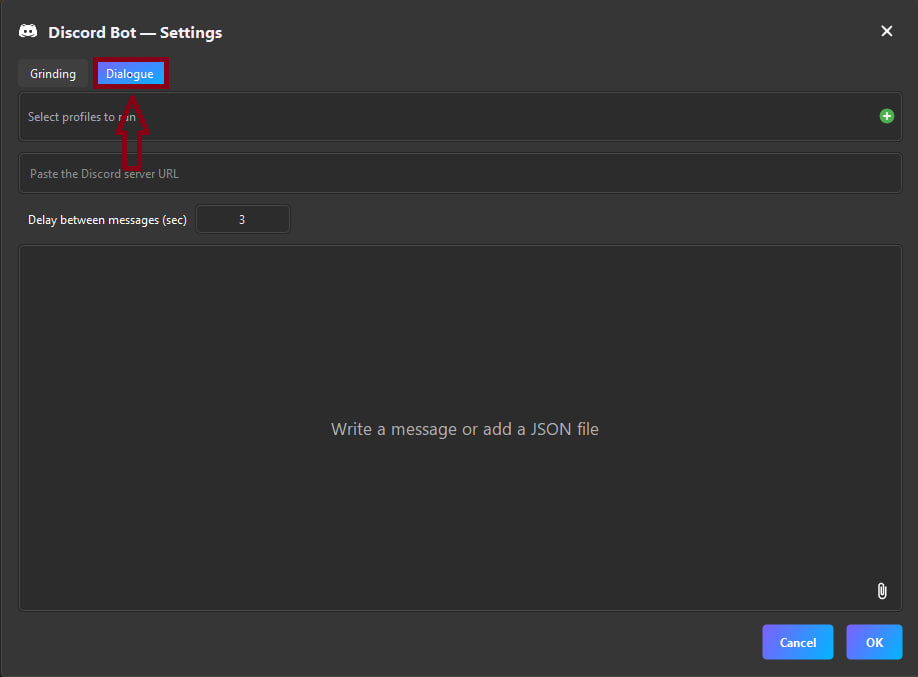
Dialogue Mode Settings
The settings are similar to Grinding mode:
- profile selection;
- server URL;
- message delay;
- single message or JSON array;
- support for uploading an array via file.
Requirement: at least two profiles
To start an actual dialogue, you must select at least 2 profiles.
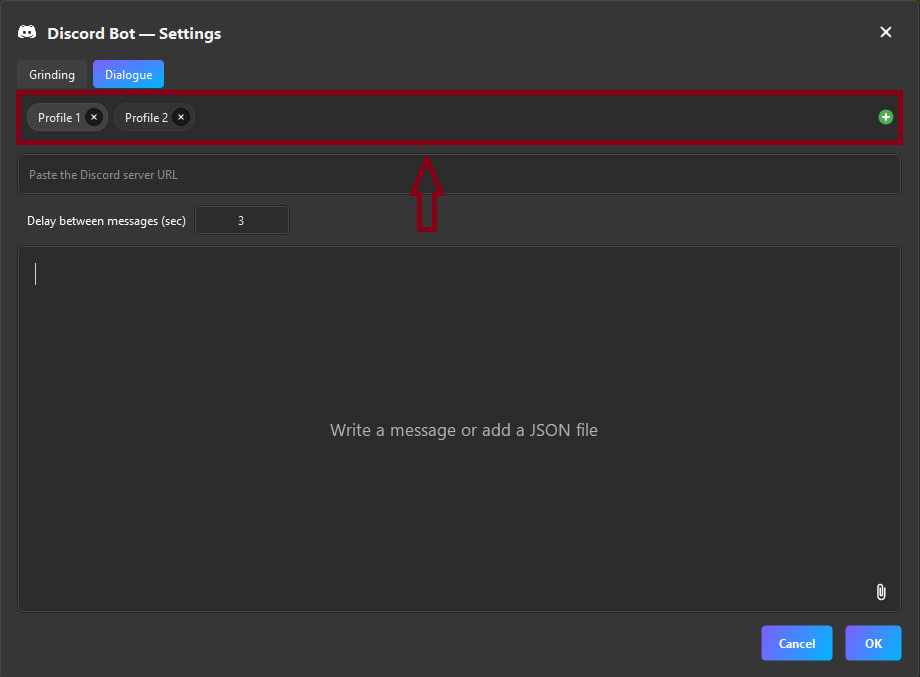
- 1 profile → dialogue will not start;
- 2+ profiles → they begin interacting with each other.
The bot alternates messages from the profiles, creating a believable conversation.
Dialogue mode is optimized for natural conversation.
Use diverse messages to avoid bans.
Saving Settings
After configuring options in Grinding or Dialogue, click OK — all settings are saved.
But there's an important detail:
When reopening the settings window, the list of selected profiles will always reset.
This is done to ensure that before each launch you choose actual working profiles.
However, these values are saved:
- server URL,
- message delay,
- additional servers,
- auto-delete option,
- messages (single or JSON)
They do not need to be re-entered.
Important Before Launch
- Each profile must be logged into Discord in advance.
- The bot does not perform authorization — it works only with already logged-in accounts.
- Avoid excessive frequency of actions to reduce ban risk.
Proper profile preparation ensures stable and safe bot operation.
The Discord Bot in Multilaunchess allows you to automate:
- role grinding;
- leveling up;
- mass messaging;
- ambassador program tasks;
- realistic dialogue simulation between accounts.
Flexible settings allow you to precisely adjust the bot for any task.